

What are the ways to run a quiz on Discord?
Each approach suits a different group. Pick by how much setup you want and who writes the questions.
| Approach | Setup | Good for | Watch out for |
|---|---|---|---|
| Host reads questions aloud, players type in a text channel | None | Three or four friends, one round | Scoring by hand, and fast typists winning ties |
| A trivia bot in the server | Invite a bot and give it permissions | Large public servers with ongoing trivia | Generic question banks nobody in the group wrote |
| A browser quiz on phones, with the scoreboard screen-shared | Share one link | Friend groups who want their own questions and a fair timer | Everyone needs a phone and a signal |
How do you run a quiz in a voice channel, step by step?
This is the third approach, run with Playloop. The same steps work for any browser quiz with a shared display.
Post the invite a few days ahead
Drop the game link in a text channel and ask everyone to add one or two questions. Each person writes privately, so nobody, including the host, sees them before they are played.
Open the shared display on the host’s computer
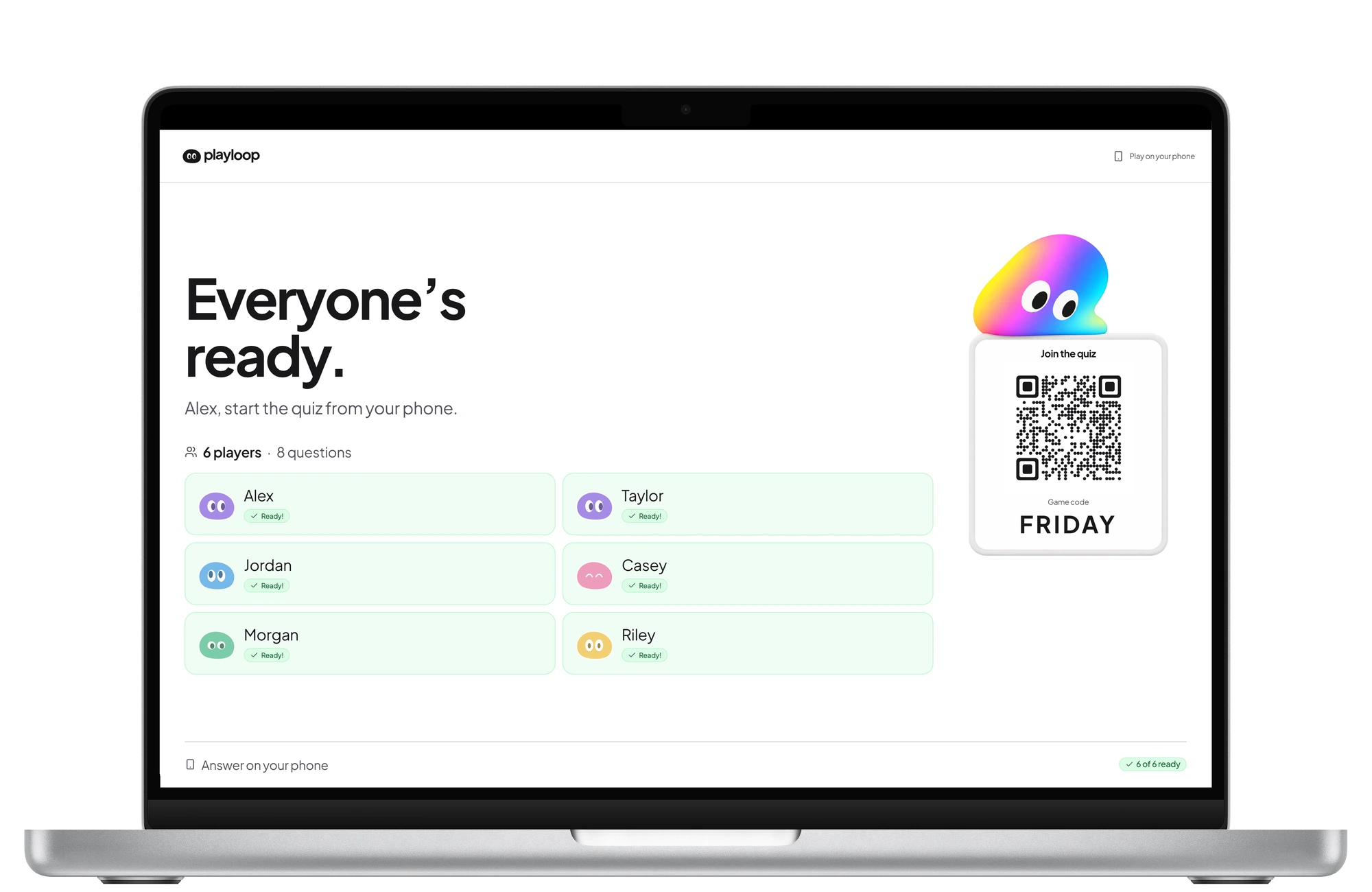
It shows the lobby with a QR code and game code, then the questions, timers, answers and scores. Share that window or tab in the voice channel.
Everyone joins on their phone
Players scan the code from the stream or open the link from the text channel. No app and no Discord bot. Nobody can join once the game has started, so wait until the whole group is in.
Play, pause and talk
Answers lock on each phone when its timer ends, so stream lag does not matter. The host plays too and can pause for a toilet break or an argument about question four.
What should you check before you go live?
Most Discord quiz problems are audio and screen-share problems, not quiz problems.
- Share the window or browser tab, not the whole screen, so notifications stay private.
- Mute game audio and music bots for the length of the quiz.
- Post the game link in a text channel as well, for anyone who cannot scan a code from the stream.
- Agree on a no-searching rule before the first question.
- Keep a written tie-breaker ready. A closest-number question settles a draw quickly.
- Plan for about ten questions per round; the remote quiz checklist covers the rest.
How do you run it as a regular server event?
For a regular quiz night, schedule it as a Discord event so people get a reminder, and make it a fixed slot such as the first Friday of the month. A regular slot does more for turnout than any prize.
Rotate the host each time. Because the host plays along and does not see the questions in advance, hosting is not a sacrifice, and nobody burns out writing every round. For groups spread across time zones, see long-distance friends.
Ready-made quizzes to try